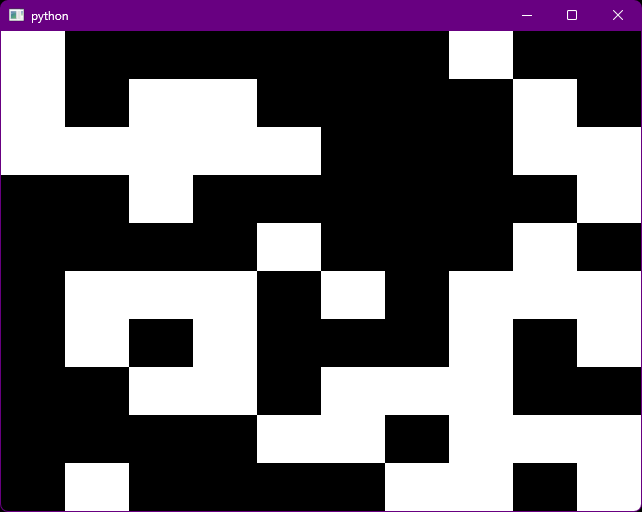
This is a simple example where there is a grid of rectangles,
and clicking on a rectangle changes it from black to white or vice versa.
It is also an example of using __getitem__ and __setitem__. Note that
the contents of the [...] in grid[...] are sent as a single tuple
so that __getitem__() always takes one parameter besides self,
and __setitem__() always takes two parameters besides self.
#!/usr/bin/env python3

from icecream import ic; ic.configureOutput(includeContext=True)
import random

from PySide6.QtCore import *
from PySide6.QtGui import *
from PySide6.QtWidgets import *
from PySide6.QtNetwork import *
app = QApplication()

class Grid(QWidget):
  def __init__(self,rows = 10, cols = 10):
    super().__init__()
    self.rows = rows
    self.cols = cols
    self.state = [ random.randrange(2) for i in range(self.rows*self.cols) ]
  def __getitem__(self,xs):
    x,y = xs
    return self.state[x+y*self.cols]
  def __setitem__(self,xs,v):
    x,y = xs
    self.state[x+y*self.cols] = v
    self.update()
    return self.state[x+y*self.cols]
  def paintEvent(self,e):
    with QPainter(self) as p:
      rect = self.rect()
      h = rect.height()
      w = rect.width()
      ch = h / self.rows
      cw = w / self.cols
      p.fillRect(rect,QColor("#000077"))
      for r in range(self.rows):
        for c in range(self.cols):
          v = self[c,r]
          col = QColor("black") if v > 0 else QColor("white")
          x = c*cw
          y = r*ch
          p.fillRect(QRect(x,y,cw,ch),col)
  def mousePressEvent(self,e):
    rect = self.rect()
    h = rect.height()
    w = rect.width()
    pos = e.position()
    x = pos.x()
    y = pos.y()
    rs = self.rows
    cs = self.cols
    c = int(cs*(x/w))
    r = int(rs*(y/h))
    self[c,r] = 0 if self[c,r] > 0 else 1
    ic((x,y),(w,h),(c,r),self[c,r])
    self.update()

g = Grid()
g.show()

app.exec()