This illustrates using css stylesheets to style buttons.
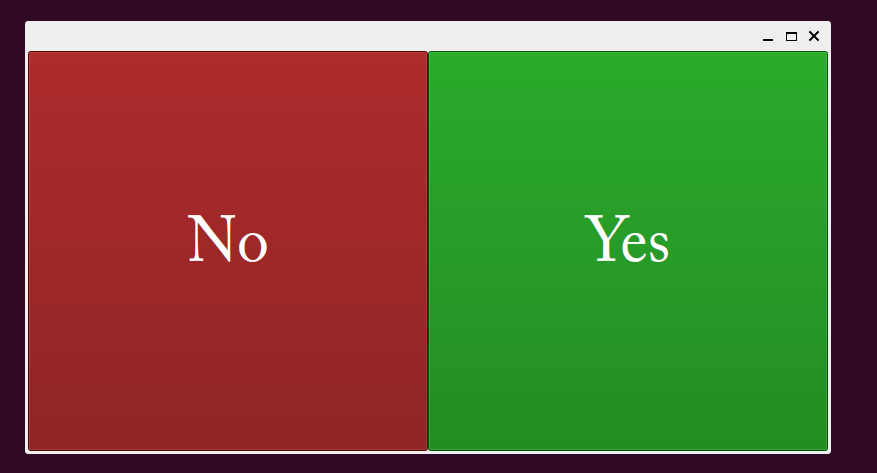
#!/usr/bin/env python

from icecream import ic; ic.configureOutput(includeContext=True)

from PySide6.QtCore import *
from PySide6.QtGui import *
from PySide6.QtWidgets import *
from PySide6.QtNetwork import *
app = QApplication()

class Rv:
  'Container for a value, nominally the return value, rather than assigning to a global variable within methods'
  def __init__(self):
    self.value = 0
  def set(self,x):
    self.value = x
  def __call__(self):
    return self.value
rv = Rv() # return value
rv.set(3) # 3 will be return value of close button is clicked

class Buts(QWidget):
  def __init__(self):
    super().__init__()
    self.resize(800,400)
    self.yes = QPushButton(self)
    self.yes.setText("Yes")
    self.yes.resize(400,400)
    self.yes.move(400,0)
    ss = lambda t: f"color: white; background-color: #{t}; font-family: Optima, 'Adobe Caslon Pro', serif; font-size: 64px;"
    self.yes.setStyleSheet(ss("070"))
    self.no = QPushButton(self)
    self.no.setText("No")
    self.no.resize(400,400)
    self.no.setStyleSheet(ss("700"))
    self.yes.clicked.connect(self.do_yes)
    self.no.clicked.connect(self.do_no)
  def do_yes(self,*xs,**kw):
    rv.set(0)
    app.quit()
    return
  def do_no(self,*xs,**kw):
    rv.set(1)
    app.quit()
    return
  def keyPressEvent(self,e):
    key = e.key()
    key = QKeySequence(key).toString().lower()
    match key:
      case "q":
        rv.set(2)
        app.quit()
        return
      case "y":
        return self.do_yes()
      case "n":
        return self.do_no()
    return super().keyPressEvent(e)

buts = Buts()
buts.show()
app.exec()
exit(rv())