Davinci Resolve Tips 1
Edit Mode
Goto Time Position
Top right just above the video view:
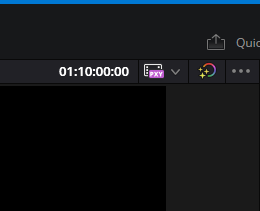
To go to e.g. 10m, type 10.00.00 (you need the number of frames: if you type 10:00 for example, you'll get to ten seconds and zero frames.)
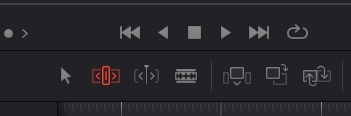
Slip Editing
Click the icon that is red in this picture:
Sharpen
Go to the colour page (Shift-6), look for the blur icon
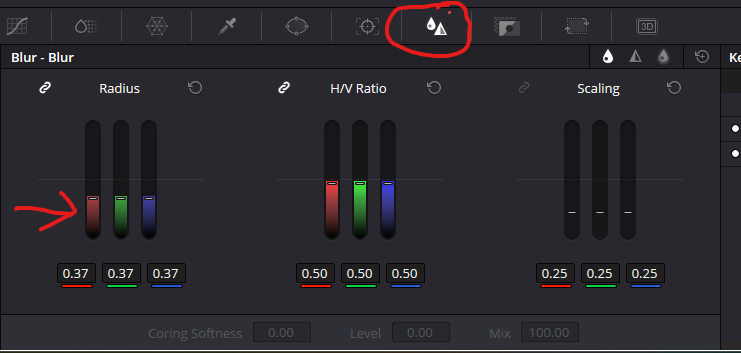
And drag the left sliders down.
Zooming In Viewer
The mousewheel and modifiers are what you use. Mousewheel zooms, then e.g. Ctrl+Mousewheel to pan up and down, and Control+Shift+Mousewheel to pan left and right.